The modern workplace is increasingly reliant on seamless collaboration, and cloud-based tools have become indispensable for fostering efficient teamwork. These platforms offer a range of functionalities, from simple document sharing to sophisticated project management, all while leveraging the power and accessibility of the cloud. This guide explores the multifaceted world of cloud-based collaboration tools, examining their benefits, security considerations, integration capabilities, and future trends.
We will delve into the various types of tools available, comparing popular options and highlighting their strengths and weaknesses. We’ll also discuss the crucial aspects of data security and privacy, providing practical recommendations for mitigating potential risks. Finally, we’ll look ahead to the future of cloud-based collaboration, exploring the impact of emerging technologies like artificial intelligence and machine learning.
Benefits of Using Cloud-Based Collaboration Tools
Cloud-based collaboration tools have revolutionized how businesses operate, fostering seamless communication and boosting productivity across teams regardless of geographical location. These tools offer a range of advantages that are particularly impactful for businesses of all sizes, from startups to multinational corporations. The accessibility, scalability, and cost-effectiveness they provide contribute significantly to a more efficient and agile work environment.The advantages of cloud-based collaboration tools are multifaceted and significantly impact various aspects of business operations.
These tools streamline workflows, improve communication channels, and enhance the overall efficiency of team projects, ultimately leading to increased profitability and a competitive edge.
Advantages for Businesses of Different Sizes
Small businesses benefit from the affordability and ease of use of cloud-based collaboration tools. These tools often come with tiered pricing plans, allowing startups to scale their usage as they grow. Larger enterprises can leverage the scalability and advanced features of these platforms to manage complex projects involving numerous teams and departments across various geographical locations. For example, a small marketing agency might use a tool like Slack for communication and Asana for project management, while a large multinational corporation might integrate a more comprehensive platform like Microsoft Teams into its existing infrastructure.
The flexibility to choose a solution that perfectly fits the company’s size and needs is a key advantage.
Improved Team Communication and Productivity
Cloud-based collaboration tools dramatically improve team communication by centralizing information and providing various communication channels. Real-time messaging, video conferencing, and file sharing features enable instantaneous collaboration, eliminating the delays and misunderstandings often associated with traditional communication methods. For example, a design team can use a shared online whiteboard to brainstorm ideas, instantly share design mockups, and provide feedback in real-time, significantly accelerating the design process.
The enhanced communication leads to better coordination, reduced errors, and ultimately, increased productivity.
Enhanced Remote Work Capabilities
The rise of remote work has been significantly facilitated by cloud-based collaboration tools. These tools provide a virtual workspace that connects geographically dispersed teams, enabling seamless collaboration regardless of location. Features like shared calendars, task management tools, and video conferencing allow remote teams to work together as effectively as if they were in the same office. For instance, a software development team spread across different countries can use tools like GitHub for code collaboration, Jira for project tracking, and Zoom for daily stand-up meetings, ensuring efficient project execution despite the physical distance.
Case Study: Project Zenith
Project Zenith, a large-scale software development project for a financial institution, successfully leveraged cloud-based collaboration tools to overcome challenges associated with a geographically dispersed team. The project involved developers, designers, and testers located in three different countries. By utilizing a suite of cloud-based tools including Slack for communication, Jira for task management, and Confluence for documentation, the team was able to maintain consistent communication, track progress effectively, and ensure timely project delivery.
The use of these tools not only facilitated seamless collaboration but also improved transparency and accountability, resulting in the successful completion of Project Zenith within budget and ahead of schedule. The centralized platform allowed all stakeholders to access real-time project updates, fostering a sense of shared responsibility and accountability. This resulted in a significant reduction in project delays and improved overall efficiency compared to previous projects that relied on email and traditional communication methods.
Security and Privacy Considerations
The shift to cloud-based collaboration tools offers significant advantages, but it also introduces new security and privacy challenges. Understanding these risks and implementing appropriate safeguards is crucial for businesses and individuals alike to leverage the benefits of these platforms while minimizing potential vulnerabilities. This section will explore potential security risks, best practices for data protection, comparisons of security features across different platforms, and recommendations for mitigating risks.
Potential Security Risks Associated with Cloud-Based Collaboration Tools
Data breaches, unauthorized access, and malware infections are significant concerns. The centralized nature of cloud storage makes it a prime target for cyberattacks. Phishing attempts targeting user credentials are also common, granting malicious actors access to sensitive information. Furthermore, the potential for data loss due to platform outages or accidental deletion remains a concern, although reputable providers invest heavily in redundancy and disaster recovery measures.
Insufficient access controls can also lead to unintended data exposure, and vulnerabilities in the platform’s software itself can be exploited. Finally, the use of unmanaged devices or insecure networks can significantly increase the risk of compromise.
Best Practices for Securing Data and Protecting User Privacy in Cloud Environments
Robust security measures are paramount. Implementing multi-factor authentication (MFA) adds a crucial layer of protection against unauthorized access, even if credentials are compromised. Regular software updates are essential to patch known vulnerabilities. Strong password policies, including password complexity requirements and regular password changes, should be enforced. Data encryption, both in transit and at rest, protects sensitive information even if a breach occurs.
Access control lists (ACLs) should be carefully managed to limit access to data based on the principle of least privilege. Regular security audits and penetration testing can identify weaknesses in the system before they are exploited. Finally, user education and awareness training can significantly reduce the risk of human error, a common factor in many security incidents.
Comparison of Security Features Offered by Various Cloud-Based Collaboration Platforms
Different platforms offer varying levels of security features. For example, some platforms may offer advanced threat detection capabilities, while others may focus on robust data encryption. Some might provide granular access controls, allowing administrators to fine-tune permissions for individual users or groups. Others might offer features like data loss prevention (DLP) to prevent sensitive information from leaving the platform.
The specific features available will vary depending on the platform chosen and the service level subscribed to. It’s important to carefully compare the security features offered by different platforms to ensure they meet the specific security requirements of the organization. For instance, a platform prioritizing compliance with industry regulations like HIPAA or GDPR might offer stronger audit trails and data residency options.
Recommendations for Businesses to Mitigate Security Risks
Businesses should adopt a multi-layered approach to security. This includes conducting thorough due diligence when selecting a cloud-based collaboration platform, paying close attention to their security certifications and track record. Establishing a comprehensive security policy that Artikels acceptable use, data handling procedures, and incident response protocols is crucial. Regularly reviewing and updating this policy is essential to adapt to evolving threats.
Implementing strong access controls and monitoring user activity can help identify and prevent suspicious behavior. Investing in employee training programs to educate employees about security best practices and potential threats is a key preventative measure. Finally, having a well-defined incident response plan in place to quickly contain and mitigate the impact of any security breach is vital.
Integration with Other Business Systems
Seamless integration between cloud-based collaboration tools and other business systems is crucial for maximizing efficiency and minimizing data silos within an organization. Effective integration streamlines workflows, improves data accessibility, and fosters a more cohesive and productive work environment. This integration allows for a unified view of business operations, eliminating the need for manual data entry and reducing the risk of errors.The importance of this integration cannot be overstated.
Imagine a scenario where sales teams use a separate CRM system, while project management relies on a different cloud-based collaboration platform. This creates a fragmented workflow, hindering communication and potentially leading to missed opportunities or duplicated efforts. A well-integrated system allows information to flow effortlessly between different departments and applications, fostering better communication and decision-making.
Examples of Successful Integrations
Several successful integrations illustrate the benefits of connecting cloud-based collaboration tools with other business systems. For example, integrating a project management tool like Asana with a CRM like Salesforce allows sales teams to track project progress related to specific clients directly within their CRM. Similarly, integrating a communication platform like Slack with an ERP system enables immediate notification of critical updates impacting various departments.
Microsoft Teams, with its extensive integration capabilities, frequently serves as a central hub, connecting to a wide range of applications, including CRM systems, ERP software, and specialized industry tools. These integrations eliminate the need for employees to switch between multiple applications, boosting productivity and reducing context switching time.
Benefits of API Integration for Cloud-Based Collaboration Tools
Application Programming Interfaces (APIs) are the backbone of successful integrations. APIs provide a standardized way for different software applications to communicate and exchange data. The benefits of API integration for cloud-based collaboration tools are numerous. They allow for real-time data synchronization, automated workflows, and the creation of custom integrations tailored to specific business needs. For instance, an API can automatically update a project management tool with information from a CRM whenever a new deal is closed, ensuring project teams are immediately aware of new client requirements.
Furthermore, robust APIs allow for greater flexibility and scalability, adapting to evolving business needs and the integration of new applications without requiring extensive customization or manual intervention.
Designing an Integration Strategy
Designing a comprehensive integration strategy requires careful planning and consideration of various factors. This process should begin with a thorough assessment of the existing business systems and the desired outcomes of the integration. Identifying key data points that need to be shared between different systems is paramount. The strategy should Artikel which systems need to be integrated, the specific data to be exchanged, and the methods for ensuring data security and integrity.
Prioritization of integrations is crucial, focusing on those that will yield the greatest immediate benefits. A phased approach, starting with high-impact integrations and gradually expanding, is often the most effective strategy. Regular monitoring and evaluation are essential to ensure the integrations are functioning as intended and adapting to changing business needs. This iterative approach allows for continuous improvement and optimization of the overall integration strategy.
Cloud Services
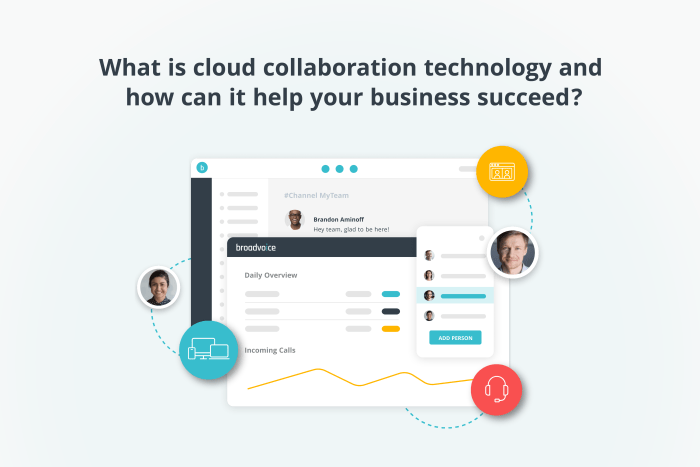
Cloud-based collaboration tools rely heavily on a robust and scalable underlying infrastructure. Understanding the different cloud service models and how they support these tools is crucial for appreciating their functionality and potential. This section will delve into the infrastructure underpinning these tools, examining the roles of various cloud service models, data centers, and network infrastructure in enabling seamless collaboration.Cloud service models provide different levels of abstraction and control over the underlying infrastructure.
This allows businesses to choose the model best suited to their needs and technical expertise.
Cloud Service Models and Their Relevance
Three primary cloud service models—Infrastructure as a Service (IaaS), Platform as a Service (PaaS), and Software as a Service (SaaS)—each play a distinct role in supporting cloud-based collaboration tools. IaaS provides the most fundamental level of service, offering virtualized computing resources like servers, storage, and networking. PaaS builds upon IaaS by providing a platform for developing and deploying applications, including the underlying operating system, programming language environments, and databases.
SaaS, the highest level of abstraction, delivers ready-to-use applications over the internet, eliminating the need for users to manage the underlying infrastructure. Most cloud-based collaboration tools operate as SaaS offerings, leveraging the underlying IaaS and PaaS layers provided by cloud service providers. For example, Google Workspace (formerly G Suite) utilizes Google’s own IaaS and PaaS to deliver its suite of collaboration applications as a SaaS offering.
Similarly, Microsoft 365 relies on Microsoft Azure’s IaaS and PaaS capabilities.
Cloud Computing Infrastructure and Collaboration Tool Functionality
The cloud computing infrastructure directly supports the functionality of cloud-based collaboration tools by providing the necessary resources for storage, processing, and communication. For instance, the ability to share documents in real-time relies on robust storage solutions and high-bandwidth network connections. The infrastructure also enables features such as version control, notifications, and user authentication. The scalability of the cloud infrastructure allows collaboration tools to handle fluctuating user loads and data volumes, ensuring consistent performance even during peak usage periods.
Consider a large multinational corporation using a cloud-based project management tool; the infrastructure must seamlessly accommodate simultaneous access from numerous users across different geographical locations.
The Role of Data Centers and Network Infrastructure
Data centers are the physical locations housing the servers, storage, and networking equipment that constitute the cloud infrastructure. These centers are designed for high availability, redundancy, and security. Redundant power supplies, cooling systems, and network connections minimize downtime and ensure continuous operation. The network infrastructure, encompassing both internal and external networks, connects data centers and users, enabling data transfer and communication.
High-speed, low-latency connections are crucial for real-time collaboration features like video conferencing and co-editing. A geographically distributed network of data centers allows cloud service providers to deliver services with low latency to users around the world, improving the user experience for globally dispersed teams. For instance, a video conferencing call between participants in New York and London relies on a robust global network infrastructure to minimize delay and ensure smooth communication.
Ensuring High Availability and Scalability
Cloud service providers employ various techniques to ensure high availability and scalability for cloud-based collaboration tools. These include techniques such as load balancing, which distributes traffic across multiple servers to prevent overload, and automated scaling, which dynamically adjusts the number of resources allocated to an application based on demand. Redundancy, achieved through multiple data centers and backups, ensures that services remain available even in the event of hardware failures or natural disasters.
Geographic redundancy, with data replicated across multiple regions, provides resilience against regional outages. For example, Amazon Web Services (AWS) utilizes a global network of data centers and employs sophisticated techniques to ensure high availability and scalability for its various services, including those used by many cloud-based collaboration tools. This enables applications to handle sudden spikes in usage without compromising performance.
Future Trends in Cloud-Based Collaboration
The landscape of cloud-based collaboration is constantly evolving, driven by technological advancements and changing user needs. We’re moving beyond simple file sharing and video conferencing towards more intelligent, integrated, and immersive experiences. This evolution is fueled by several key trends, promising to significantly reshape how teams work together in the future.The integration of Artificial Intelligence (AI) and Machine Learning (ML) is revolutionizing cloud-based collaboration tools.
These technologies are no longer just futuristic concepts; they are actively improving productivity and efficiency in real-world applications.
Artificial Intelligence and Machine Learning in Cloud Collaboration
AI and ML are enhancing various aspects of cloud collaboration. For example, intelligent assistants are becoming more sophisticated, capable of summarizing lengthy meeting transcripts, automatically scheduling appointments based on team availability, and even proactively suggesting relevant documents or information based on the context of ongoing projects. Machine learning algorithms are improving search functionalities within collaboration platforms, making it easier to locate specific files or information within large datasets.
Furthermore, AI-powered tools are enhancing real-time translation capabilities, facilitating seamless communication across teams with diverse linguistic backgrounds. Consider the impact on global companies: instantaneous translation during virtual meetings eliminates communication barriers and streamlines decision-making processes, directly impacting project timelines and overall efficiency.
Advanced Analytics for Enhanced Collaboration Efficiency
Advanced analytics provides valuable insights into team performance and collaboration patterns. By analyzing data from various collaboration platforms, organizations can identify bottlenecks, optimize workflows, and improve overall efficiency. For instance, analyzing communication patterns can reveal which team members are most effective at collaborating, identifying potential knowledge gaps, and highlighting areas for training or process improvement. Data visualization tools can then represent this information clearly, showing where projects are delayed and why.
A simple example: identifying that a particular project consistently experiences delays at a specific stage could lead to targeted process improvements, such as assigning additional resources or streamlining specific tasks. This data-driven approach allows for continuous optimization and improved collaboration outcomes.
The Future of Cloud-Based Collaboration: A Visual Representation
Imagine a seamless, interconnected ecosystem. A central hub displays a dynamic dashboard visualizing all ongoing projects, their progress, and key performance indicators. Within this hub, individual team members access personalized interfaces tailored to their roles and responsibilities. AI-powered assistants proactively offer support, suggesting relevant resources and anticipating potential roadblocks. Virtual and augmented reality elements create immersive collaborative environments, enabling remote teams to feel as though they are working side-by-side, regardless of geographical location.
This integrated system leverages advanced analytics to continuously optimize workflows, ensuring maximum efficiency and productivity. The entire system is secure, scalable, and adaptable, responding to the evolving needs of the organization. This is not just a vision; elements of this integrated ecosystem are already emerging in various cloud collaboration platforms, and their convergence is inevitable.
Ultimately, the selection of a cloud-based collaboration tool hinges on a company’s unique needs and priorities. By carefully considering factors like security, integration capabilities, and cost, organizations can leverage these powerful platforms to enhance productivity, streamline workflows, and foster a more connected and collaborative work environment. The future of work is undeniably intertwined with the evolution of cloud-based collaboration, promising even greater efficiency and interconnectedness in the years to come.
Essential Questionnaire
What is the difference between SaaS, PaaS, and IaaS in the context of collaboration tools?
SaaS (Software as a Service) provides ready-to-use applications like Google Workspace or Microsoft 365. PaaS (Platform as a Service) offers a platform for developing and deploying applications. IaaS (Infrastructure as a Service) provides the underlying infrastructure like servers and storage.
How can I ensure the security of my data when using cloud-based collaboration tools?
Implement strong passwords, enable two-factor authentication, regularly update software, utilize data encryption, and carefully review the security policies of your chosen provider.
What are some common integration challenges with cloud-based collaboration tools?
Data migration issues, compatibility problems with existing systems, and ensuring data consistency across different platforms are common integration challenges.
Are cloud-based collaboration tools suitable for small businesses?
Yes, many cloud-based collaboration tools offer scalable solutions suitable for businesses of all sizes, often with flexible pricing plans.